
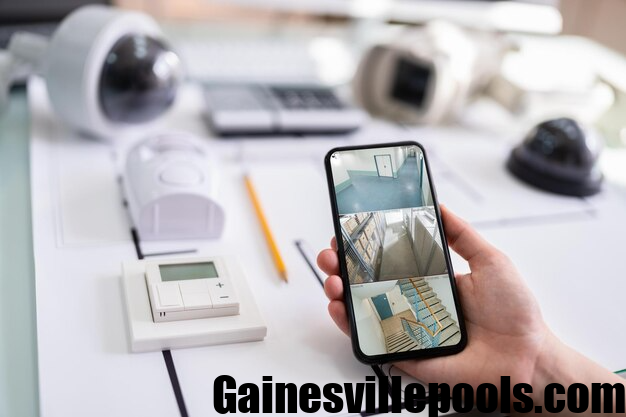
You’re halfway to your vacation destination or sitting in a long office meeting, and suddenly you wonder: “Did I remember to close the garage door?” or “Was that a delivery truck I just heard?” In the past, answering those questions meant calling a neighbor or rushing home. But in 2026, your phone is the only security guard you need. If you’ve invested in a professional surveillance camera system, the hardware is only half the story. The real magic happens when you can pull that high-definition feed into the palm of your hand.
Today, we’re diving into the Backstreet Surveillance app, specifically looking at how it turns your smartphone into a high-tech command center for your home or business.
The 5-Minute Setup: From Box to Phone
One of the biggest hurdles with older surveillance camera systems was the dreaded “networking” phase. You used to need a degree in IT to handle port forwarding and static IPs.
Thankfully, the Backstreet approach has simplified this into what they call the “5-Minute Setup.” Here’s the quick “cheat sheet” to getting connected:
- Plug and Play: Connect your cameras to your NVR and ensure the NVR is plugged into your internet router.
- Download: Head to the Apple App Store and download the official Backstreet Surveillance app.
- The Scan: Open the app and tap “Add Device.” Instead of typing in long strings of numbers, you simply point your phone’s camera at the QR code located on your NVR’s screen or the bottom of the unit.
- Live: Just like that, your phone and your security system are shaking hands. You’re ready to watch.
Why 4K Detail Matters on a Small Screen
You might think that a 4K camera security system is overkill for a 6-inch phone screen, but the opposite is actually true. Because a 4K image has four times the pixels of standard HD, it allows you to use “pinch-to-zoom” without the image turning into a blurry mess. Imagine someone leaves a package at your gate. With the Backstreet app, you can zoom in on the delivery person’s vest or the logo on the box with startling clarity. This “evidence-grade” detail is the difference between seeing a “visitor” and identifying an “individual.”
Managing Your World with Pro-Vue and Cyber-Secure
Depending on which system you choose, you’ll likely be using either the Pro-Vue or Cyber-Secure mobile interface within the app ecosystem. Both are designed to be fast and intuitive, but they offer some pretty cool pro-level features:
- Grid Views: Want to see the front door, the backyard, and the warehouse all at once? You can customize your grid to see up to 16 cameras on a single screen.
- Instant Push Notifications: Don’t waste time watching hours of an empty driveway. Set the app to send you a “Smart Alert” only when a human or vehicle is detected.
- Remote PTZ Control: If you have PTZ cameras, you can literally swipe your finger across your phone screen to move the camera’s “eye” in real-time, following a subject across your property.
- Playback on the Go: Did something happen last night? Use the timeline slider at the bottom of the app to scroll back through recorded footage. You can even save a clip directly to your phone’s photo gallery to text to the authorities or a neighbor.
Final Thoughts
Security shouldn’t feel like a chore. The Backstreet Surveillance app takes the complexity of professional-grade hardware and makes it as easy to use as your favorite social media app.
Whether you’re protecting a small suburban home or a massive industrial site, having your “eyes” in your pocket changes everything.
FAQs
1. Is there a monthly fee for the Backstreet Surveillance app?
Nope! One of the best perks is that once you own the hardware, the remote viewing app and lifetime tech support are included for free. There are no “subscription traps.”
2. Can I share access with my family or employees?
Absolutely. You can add multiple users to the app. You can even set “permissions” so a store manager can see the registers, but not the private office.
3. What happens if my home Wi-Fi goes out?
Your NVR will continue to record 24/7 to its internal hard drive. However, you won’t be able to “live stream” to your phone until the internet connection is restored.
4. Does the app work on 5G and LTE?
Yes. As long as your phone has a data connection, you can view your 4K camera from anywhere in the world, whether you’re in a nearby coffee shop or on a beach in another country.
5. Is the app secure from hackers?
Backstreet uses encrypted P2P (Peer-to-Peer) technology. This means your video doesn’t “sit” on a vulnerable cloud server; it’s a direct, encrypted tunnel from your NVR to your phone.